
The fastest way to launch a Will Call ride is by setting the time in the Lifecare Portal. This guide will take you through the steps to set the ride time.
A Lyft will typically arrive in under 10 minutes so it is important to determine that patient is ready to leave the hospital (shoes are on/final consultation is complete/medication in hand). For non-Lyft transportation, follow these instructions to set the ride time and Lifecare will update the transportation provider.
Locate the trip you would like to launch from your Lifecare Dashboard

Click the View button next to the trip

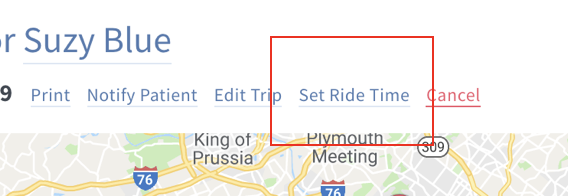
Above the map, click the Set Ride Time button
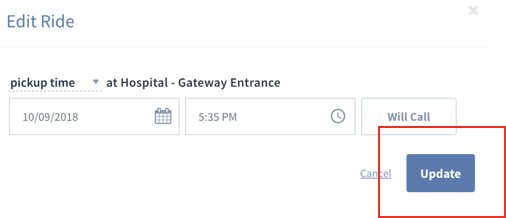
Select the appropriate launch time and click Update

If it is a Lyft, monitor the ride until you see what vehicle the trip is assigned to. If a non-Lyft, we will assign a provider and update you with an ETA.

At this point, bring the patient to the appropriate pickup/drop off location