
1. You will receive an email from app.rideLifecare.com with the Subject Line “[Your Name], welcome to Lifecare!
Be sure to see if the e-mail went to your spam/junk folder by accident.
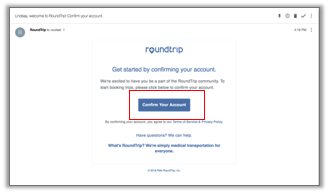
2. Click on Confirm Your Account
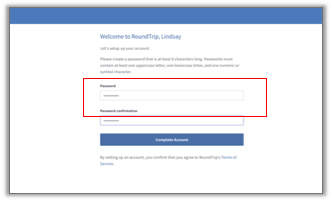
3. Create Your own Personalized Password & Complete your Account:
4. Once your account is confirmed, you will be redirected to rideLifecare.com.
- This is the website you will always use to book rides moving forward. We suggest you save it to your web browser bookmarks or on your computer desktop for easy access!